Why Use This Tool?
Games now have more and more animation files and characters and going through each of those individually to tag footsteps or foley movements is a chore. Fully automated runtime systems remove the creative input from tech audio designers. This tool tries to get the best of both worlds, automating the boring part while leaving control entirely to the tech audio designers.
- Automatically tag thousands of animation files: With smart presets, you can easily process many files in one go.
- Get relevant information to drive audio: The footstep and foley detection system also reports to the animation notifies the speed and length of movement so you can use it to control the sound, to better match the animation.
- Compatible with any animation notify class: The tool gives an example notify but you can change the animation notify class and how the parameters are used via blueprint editing. You can even use it with middlewares like Wwise and Fmod.
- Easily modify the results to your creative vision: Once the automation is done, the animation notifies can be moved, modified or deleted as you see fit, so it’s super easy to create exceptions or tweak notifies on complex animations.
How It Works
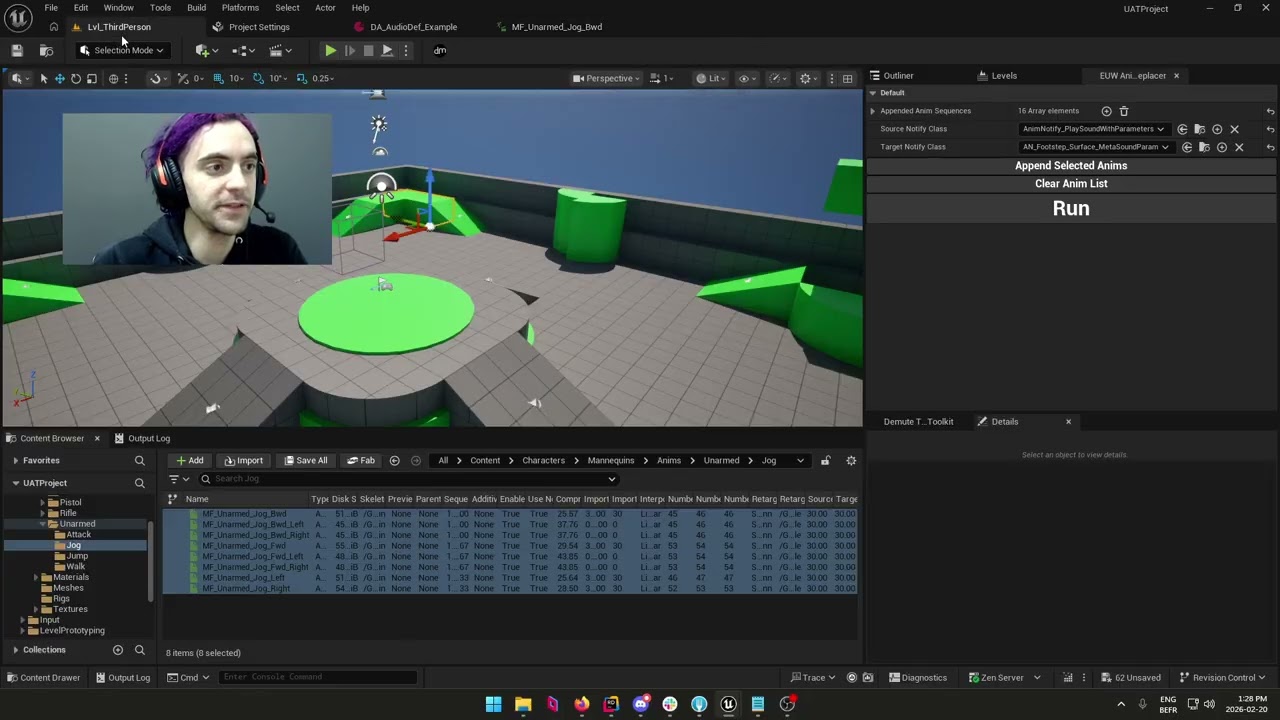
The tool will iterate through all the animation files provided and analyse frame by frame the positions of the bones you specify. With this analysis, the tool automatically recognizes movements as footsteps and foley movements and places animation notifies on the timeline at these moments.
- Unreal widget to set the parameters: A simple Unreal widget lets you set some key parameters like what sound to place on the notifies, what bones to look for, etc.
- Easy to try and fine-tune: You can always regenerate the notifies on the same animation files with different parameters to find which ones work best. By using the name of the notify tracks, any other notifies won’t be deleted.
- Parameter presets: You can create presets to easily swap between different parameters, for different characters for example.