




The Unreal Animation Notify Replace is an Unreal Editor Utility Widget that helps tech sound designers replace animation notifies across many animation files in Unreal.
The tool will iterate through an array of selected animation files and check all the animation notifies that are placed on each of those. Whenever it encounters an animation notify of the class we specified as source, the tool will replace it with a notify of the class we specified as target.
Additionally, the tool allows the user to specify how to translate any data of the animation notify that it’d like to keep across the replacement.
It has been tested on Unreal Engine 5.7
The Unreal Footsteps and Foley auto-tagging is part of the Unreal Tech Audio Toolkit plugin, so follow the installation instructions there.
Through the Unreal Tech Audio Toolkit plugin window, open the Animation Notify Replacer.
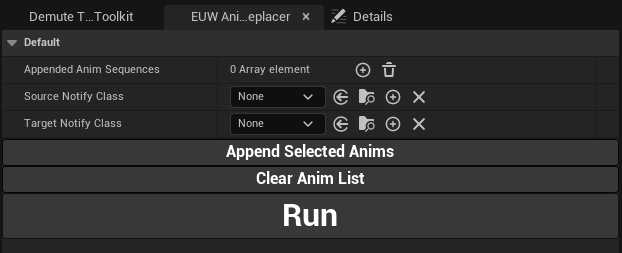
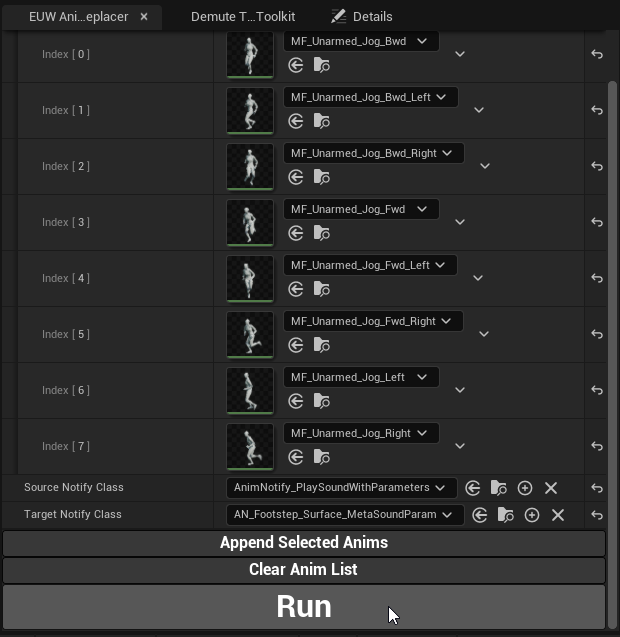
In the array Appended Anim Sequences, add the animation files you want to run the anim notify replacer on. You can also select them in the Content Browser and click on Append Selected Anims.
Then choose the class of the animation notify you want to replace in the Source Notify Class. Also choose the class you want to replace it with in Target Notify Class.
Finally, press on Run to run the tool on the animation files previously added to the array.
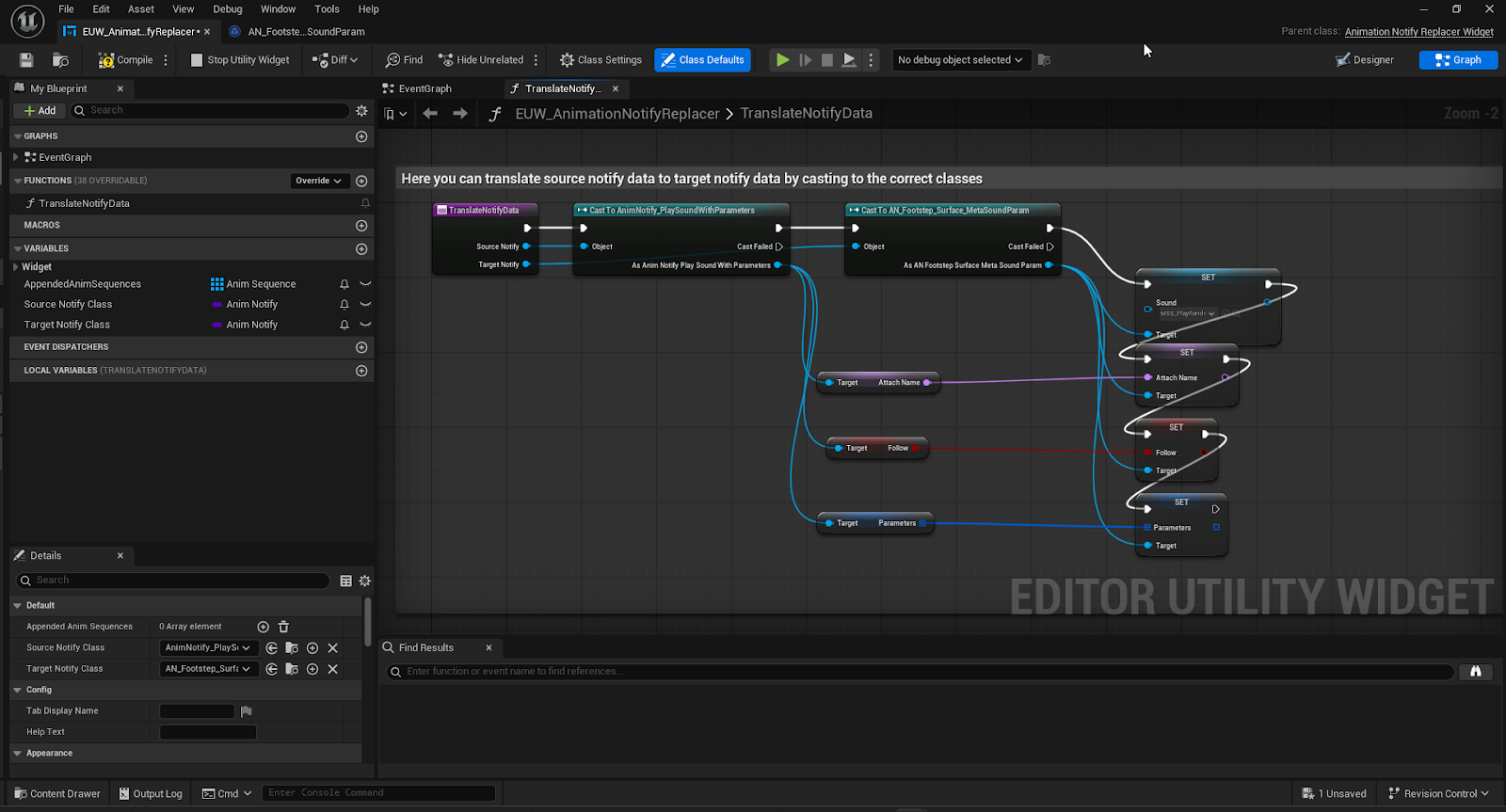
Replacing the animation notify class means that any custom data set on it will be deleted during the replacement. Because we don’t know which class will be replacing which other class, it is impossible to provide a data translation by default. However, we provide an easy BP function that you can use to translate the data yourself if you know which class you are going to be going from and to.
In EUW_AnimationNotifyReplacer you can find the function TranslateNotifyData. That function will be triggered for each animation notify that is replaced and will give you as parameters the old and the new notifies. This way, you can cast both the old and the new notifies to set their respective data.
1.0 - Initial version